FlowOps · Live product
01BookingsCapture new work clearly.
02JobsMove work through the day.
03AI assistSpot next actions faster.
Run service workwithout the noise.
Bookings, jobs, calendar, team work and AI help in one clear workspace for service operations.
FlowOps
Command Center
Live
Daily operations
One place to keep the day moving.
FlowOps keeps incoming work, assignments, schedules and follow-ups easy to see.
Save enquiries, bookings and details in one place.
Use calendar, team availability and priority to stay organised.
Track status, follow-ups and customer updates clearly.
Platform tools
Everything needed to run the day.
Short, practical tools for bookings, jobs, people and decisions.
Command Center
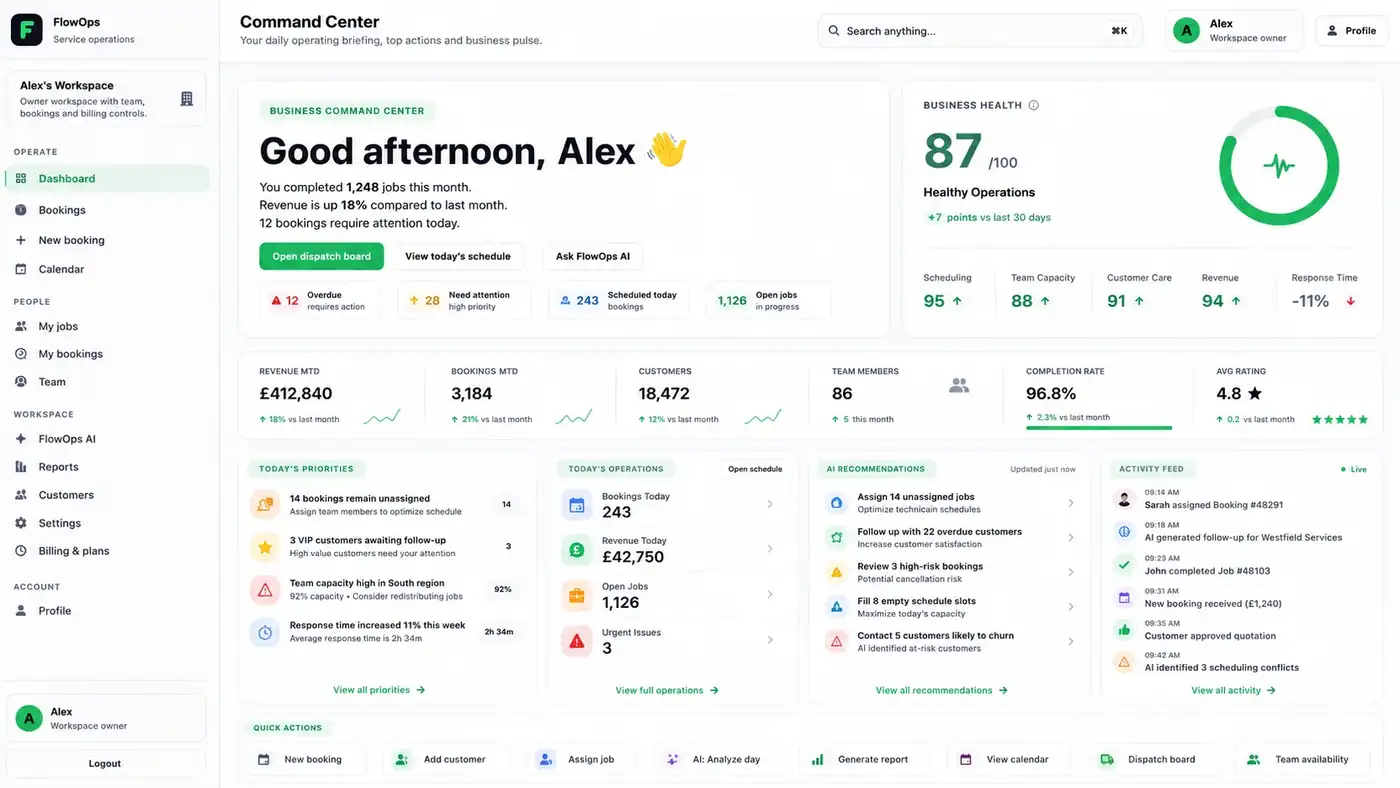
Daily overview, priorities and live status.
Bookings
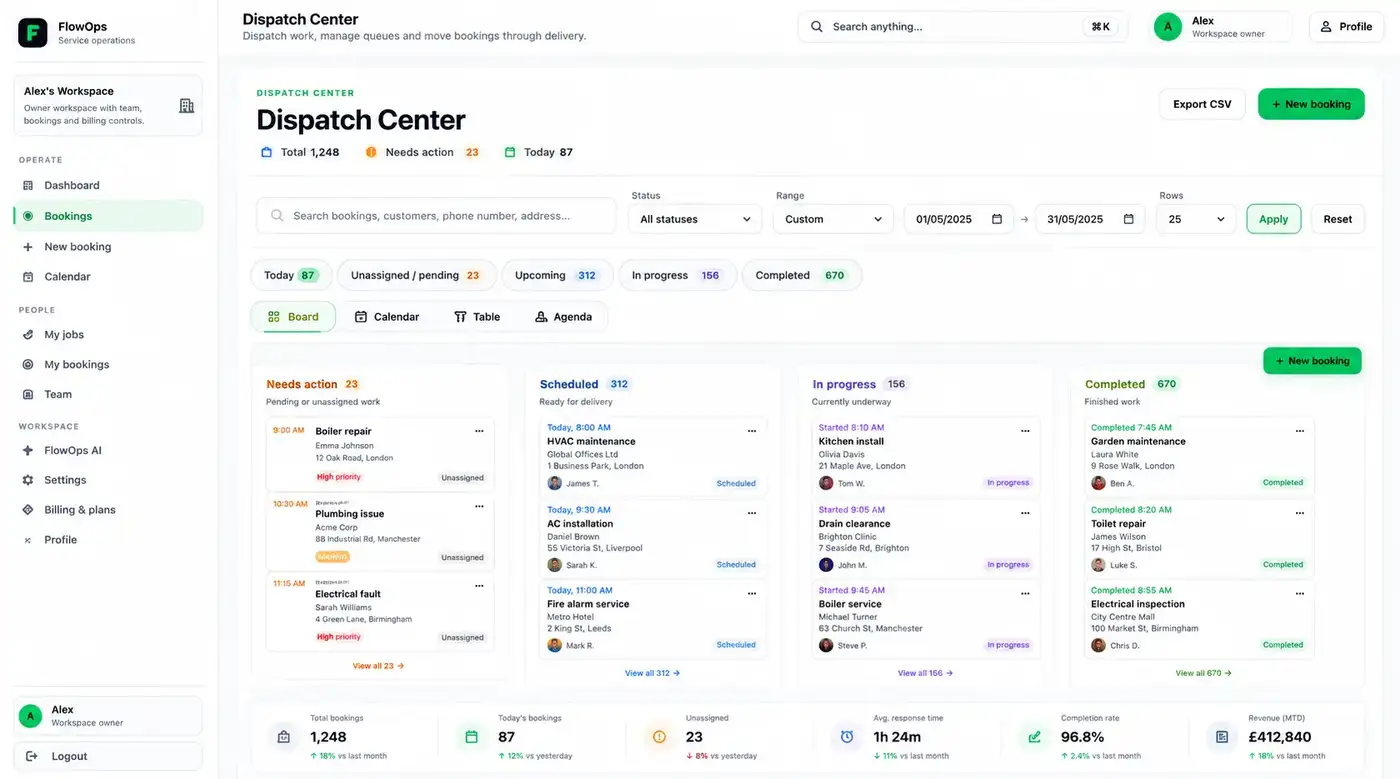
Create, edit and track service requests.
Jobs & dispatch
Assign work, check progress and reduce blockers.
Calendar
See schedules, workload and upcoming work.
Team access
Roles, profiles and workspace permissions.
FlowOps AI
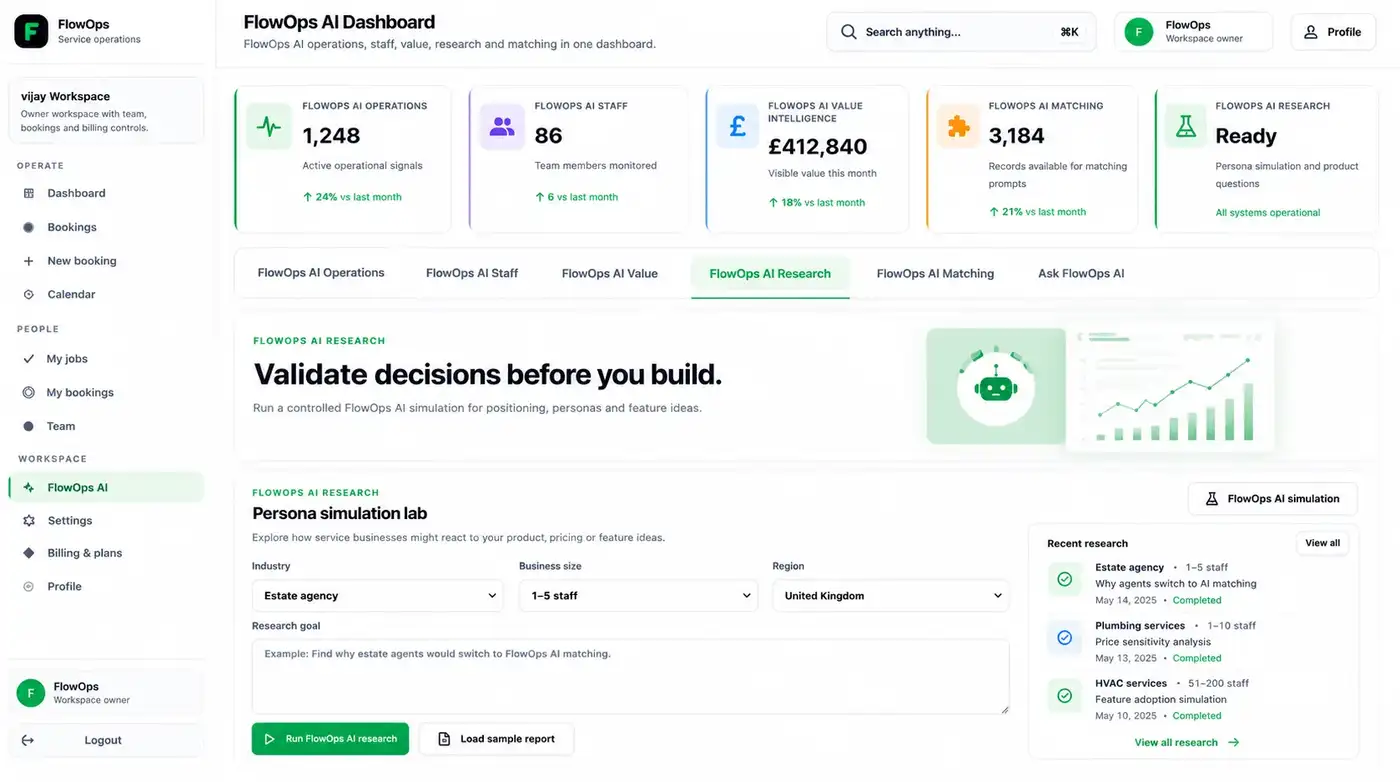
Briefs, summaries and next-action suggestions.
Who it helps
Built for teams that run work every day.
FlowOps is for service teams that need bookings, jobs, people and follow-ups in one calm workspace.
Best fit
Small teams, growing teams and operations managers who need clearer daily control.
Service businesses
Manage requests, visits, updates and customer follow-ups.
Operations teams
See what is waiting, moving, blocked or ready next.
Dispatch teams
Plan work around people, availability and priority.
Growing teams
Keep processes clear before work becomes messy.
Why FlowOps
Less switching. More control.
FlowOps brings the daily operation into focus, then helps your team decide the next best action.
Live platform preview
See the workspace before you talk to us.
Real FlowOps screens for command, dispatch and AI-assisted decisions.
flowopsone.com
FAQ
Quick answers before you talk to us.
Short answers for teams checking if FlowOps is the right fit.
What is FlowOps?
FlowOps is a service operations platform for bookings, jobs, schedules, team work and AI-assisted decisions.
Who is FlowOps for?
It is built for service businesses and operations teams that manage daily work, customers, staff and follow-ups.
Can I use FlowOps now?
Yes. FlowOps is the first live Web Creators product and the platform can be opened from this page.
Does FlowOps include AI?
Yes. FlowOps AI helps with briefs, summaries, action signals and workflow context.
Can it fit my current workflow?
Talk to sales and share how your work runs. We will suggest the clearest next step.
Next step
See if FlowOps fits your team.
Tell us how your work runs. We’ll suggest the best next step.
Want the product story?
Read FlowOps journey