Capture the work
Turn customer requests, tasks and operating needs into visible items that can be reviewed and moved forward.
FlowOps is Web Creators’ first available product: a practical operations workspace for command, dispatch, customer follow-up, reporting and AI-assisted daily decisions.
FlowOps was formed around a simple operating problem: operations teams often manage enquiries, bookings, jobs, customer messages, reports and follow-ups across disconnected tools. That makes it hard to know what needs action, who should handle it, and what the business should prioritise next.
The product brings daily operating moments into one clearer flow so owners and operations leads can understand work, move jobs forward and respond with confidence.
Turn customer requests, tasks and operating needs into visible items that can be reviewed and moved forward.
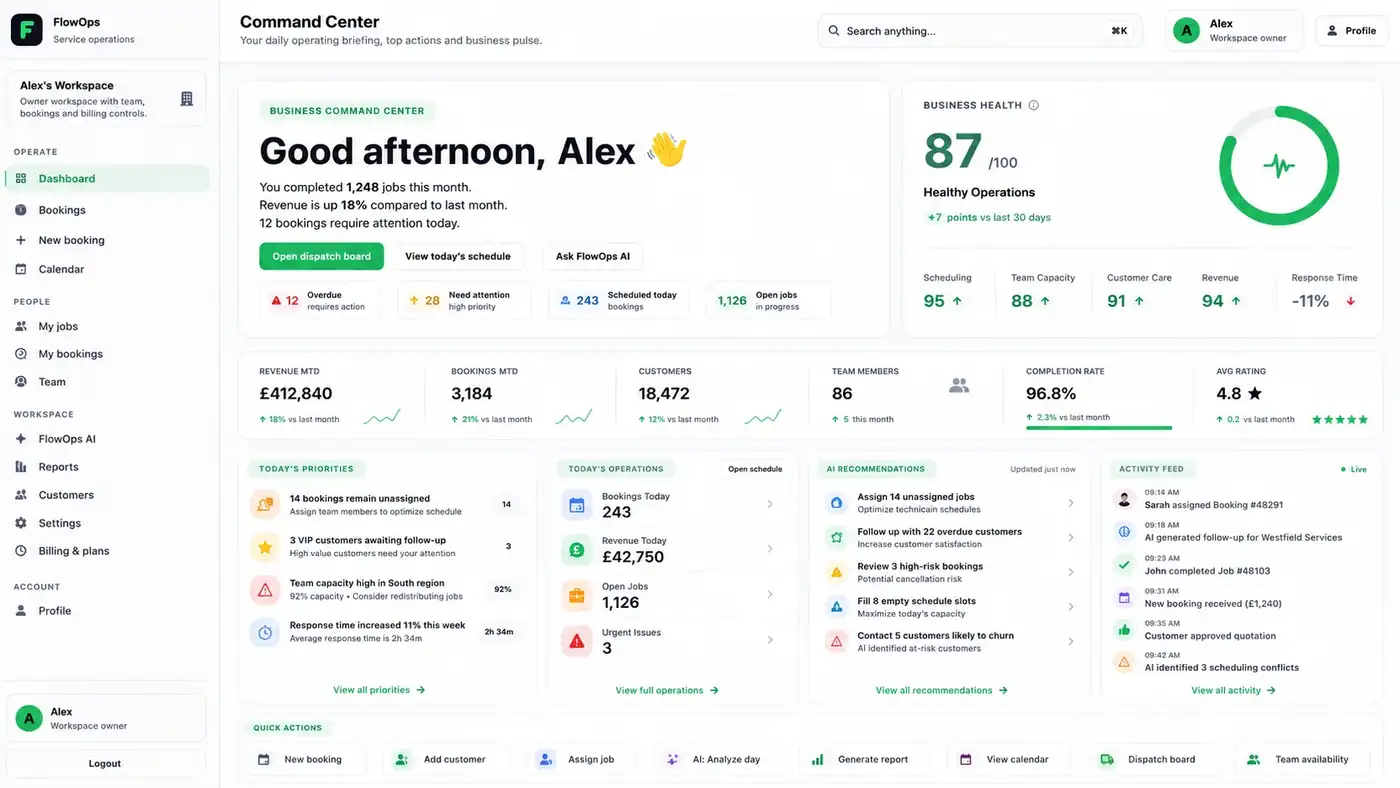
Use the command view to see business health, urgent work, customer updates and priorities in one place.
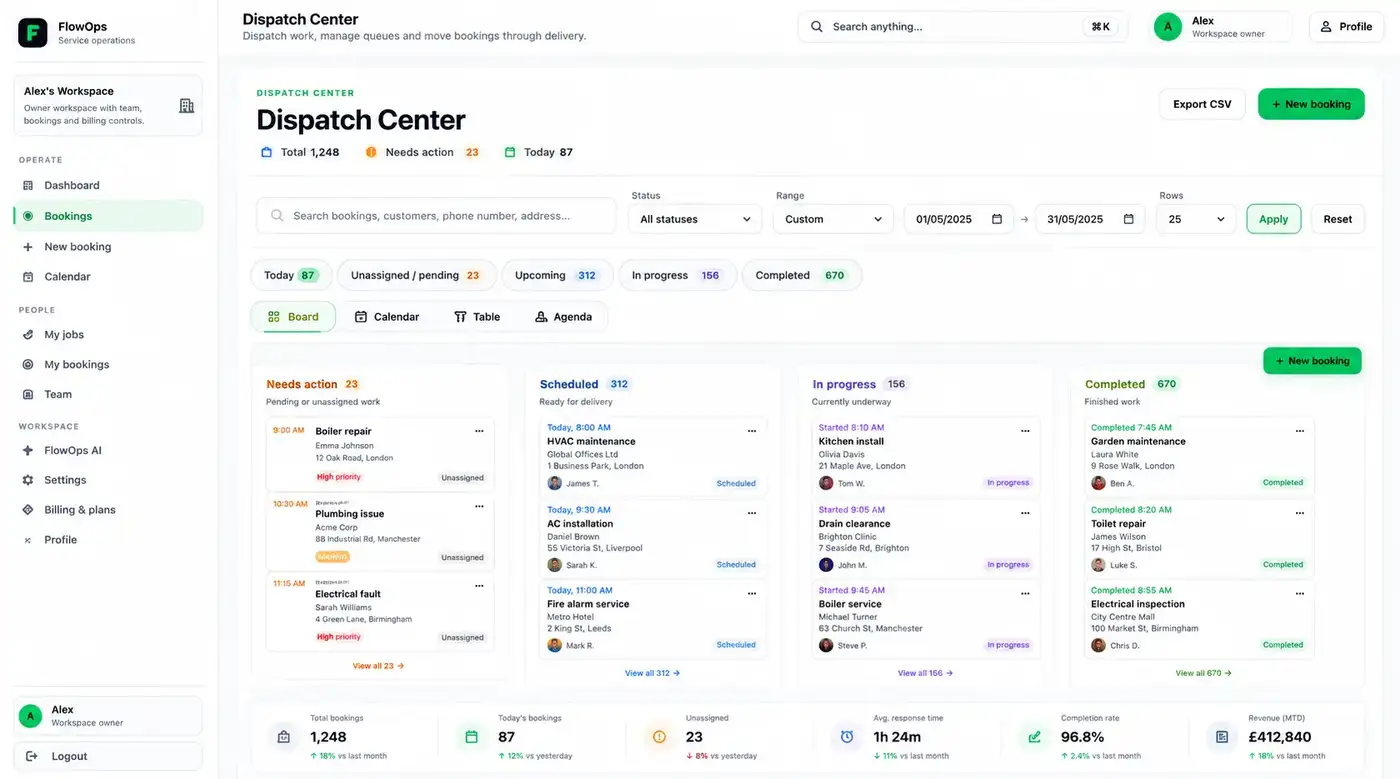
Organise work from needs action to completion, with a clear view of what is blocked or ready.
Support customer updates, pending responses, quote follow-ups and communication routines.
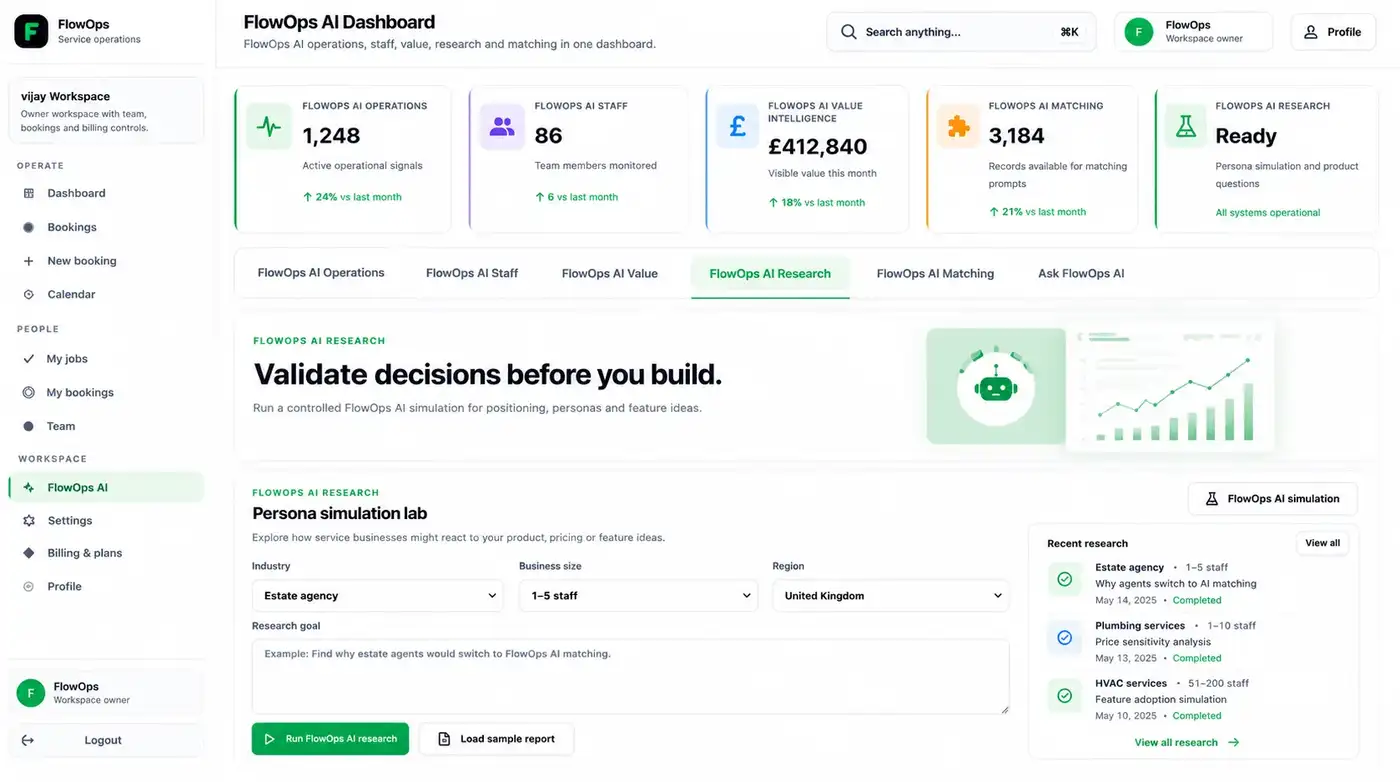
Use FlowOps AI for summaries, operational answers, draft messages, research and next-action guidance.
FlowOps focuses on daily operating flow: jobs, customers, dispatch, team activity, value and follow-up.
A daily operating view for health, top priorities, business value, customer status and action signals.
A structured board for jobs and service work, helping teams see what needs action and what is moving.
AI support for operational questions, customer updates, work summaries, research and practical next steps.
Visibility across bookings, operational value, customer activity and performance signals that matter to operators.
Support for quote follow-ups, pending updates, customer checks and communication that should not be forgotten.
A roadmap direction for matching work to the right people using skills, availability, location and operational fit.
The product interface is built around the screens an operator needs to check repeatedly: command, dispatch and AI support.
FlowOps is best introduced through a short product-fit demo. The aim is to understand how your team handles enquiries, jobs, updates and reporting, then show where FlowOps can reduce friction.